

How Python Lists Can Be RISKY?
A Must-Know Guide to Avoid These Costly Mistakes!

Unlike tuples (which are immutable), lists allow modifications, making them both powerful and risky.
How?
👇🏻Consider the following snippet of code:
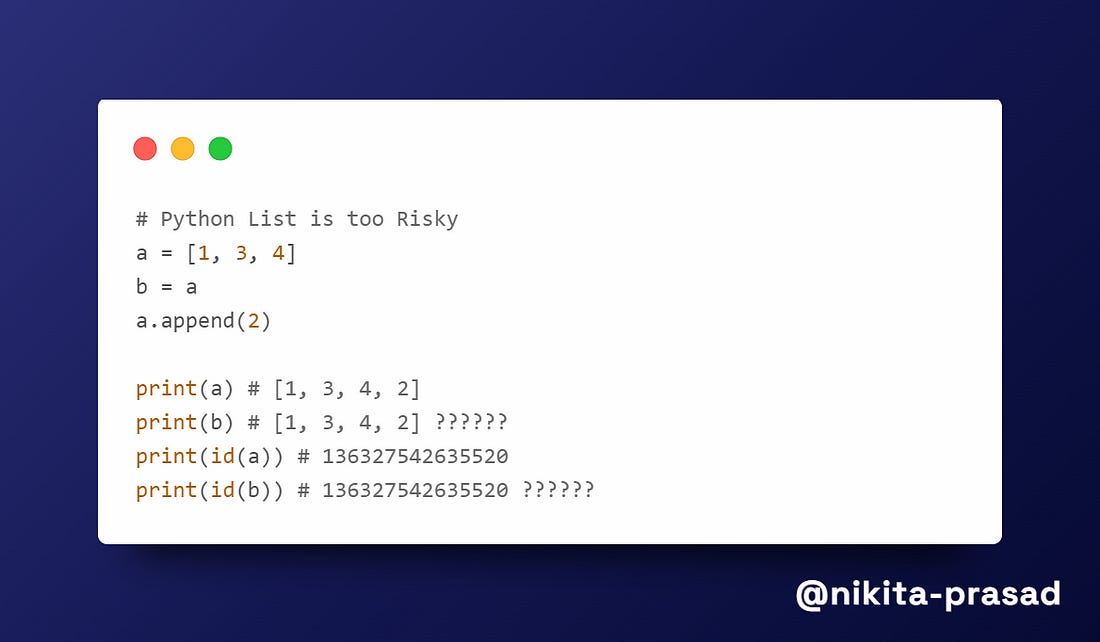
At first glance, you might expect b to remain [1, 3, 4], but instead, both a and b change. Why?
If you’re a data scientist, ignoring such risks may lead to incorrect analysis, unexpected bugs, and memory issues in ML models.
Quick Pause : If you find these tips helpful, do not forget to subscribe me and stick around to dive deeper into Python & ML insights. 👇🏻
Let’s break down the issue,
What’s Happening?
When you execute b=a, you aren’t creating a new list.
Instead, both a and b now refer to the same list in the memory.
So, when you do a.append(2), you’re modifying the original list, which means both a and b reflect that changes.
Imagine this type of unintented modification corrupting your entire data science project while working with large datasets.
How to FIX It?
1. Copying a List Using .copy() Method
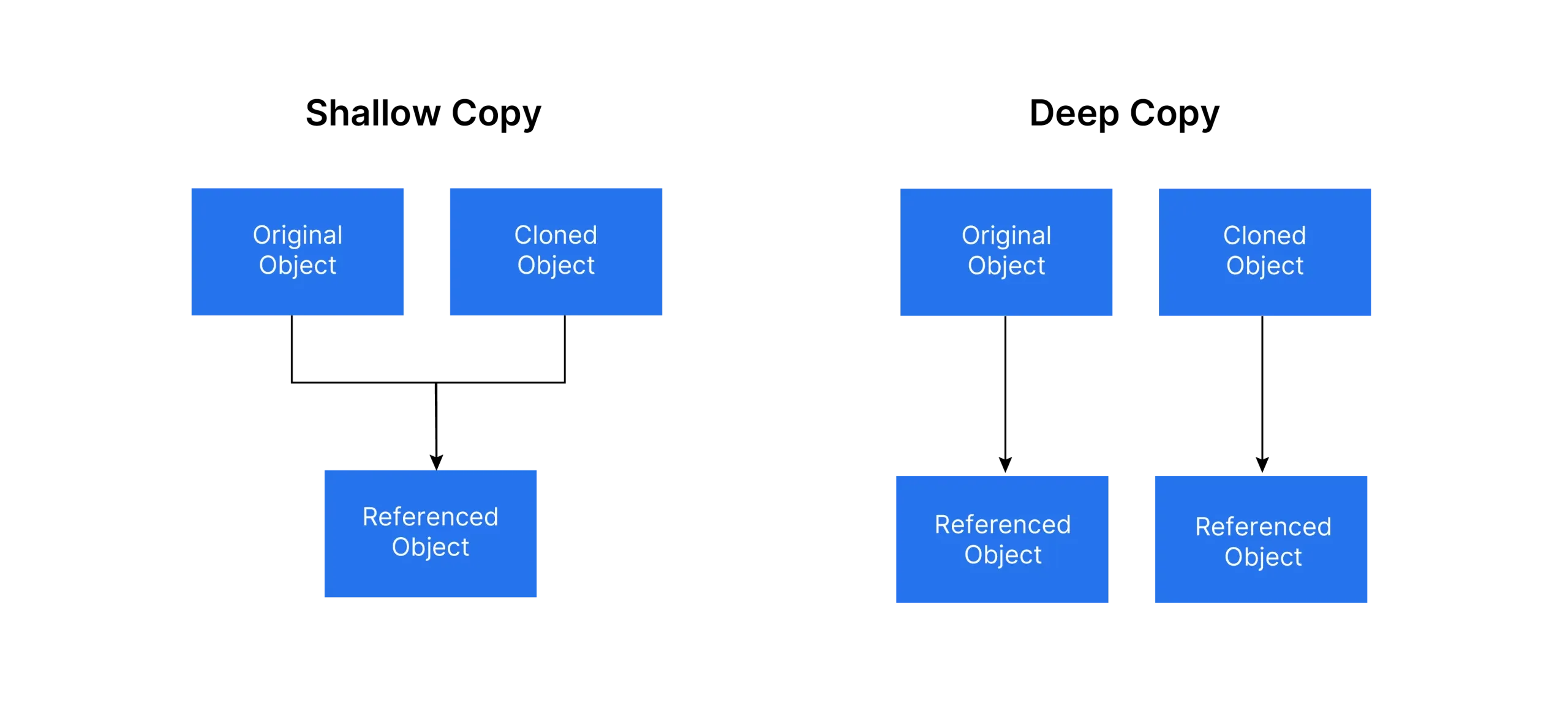
The .copy() method return a shallow copy of original list.
This works fine as long as the list does not contain nested objects. For instance:
a = [1, 2, 3]
b = a.copy()  # Now b is a separate list
a.append(6)

print(a)     # Output: [1, 2, 3, 6]
print(b)     # Output: [1, 2, 3]  (Fixed!)

print(id(a)) # Output: 131938375649664
print(id(b)) # Output: 131938374499648
Now, b stays unchanged because .copy() creates a new list instead of a reference.
However, if the list contains nested objects, .copy() only copies the reference to those nested objects, not the objects themselves.
Below code snippet can help you understand this better:
original_list = [1, [2, 3], [4, 5]]
shallow_copied_list = original_list.copy()

# Modify the original list
original_list[1][0] = 'X'

# Modify the copied list
shallow_copied_list[2][1] = 9

print(original_list)             # Output: [1, ['X', 3], [4, 9]]
print(shallow_copied_list)       # Output: [1, ['X', 3], [4, 9]]

print(id(original_list))         # Output: 133878327171712
print(id(shallow_copied_list))   # Output: 133878327557248
⚠️ Problem: A shallow copy creates a new outer list at a different memory location (hence, a different
id).However, the nested objects inside the list still reference the same memory addresses as in the original list.
So, modifying a nested object will affect both copies.
2. Copying a List Using copy.deepcopy()Function
The copy.deepcopy() creates a completely independent copy, ensuring that all nested objects are also duplicated rather tha just their references.
import copy

original_list = [1, [2, 3], [4, 5]]
shallow_copied_list = copy.copy(original_list)
deep_copied_list = copy.deepcopy(original_list)

# Modify the original list
original_list[1][0] = 'X'

print(original_list)            # Output: [1, ['X', 3], [4, 5]]
print(shallow_copied_list)      # Output: [1, ['X', 3], [4, 5]]
print(deep_copied_list)         # Output: [1, [2, 3], [4, 5]] (No unintended modification)

print(id(original_list))         # Output: 140288711654720
print(id(shallow_copied_list))   # Output: 140288711602432
print(id(deep_copied_list))      # Output: 140288711597440
Now, the deep-copied list remains completely independent because deepcopy() recursively copies all nested objects.
3. Avoid Using Lists as Default Arguments in Functions
Using mutual objects like lists as default function arguments can create unexpected behavior, that you can read here.
Additional, if as a curious Python developer, you also wonder:
How is data processed and manipulated in memory?
How has it affected the quality of the program?
This article will provide a Comprehensive overview of Mutable vs Immutable Objects in Python and why they are crucial for effective programming.
Stay tuned with ME, so you won’t miss out on future updates.
Until next time, happy learning!